
Inquiry for Microsoft Managed Services
MICROSOFT MANAGED Services
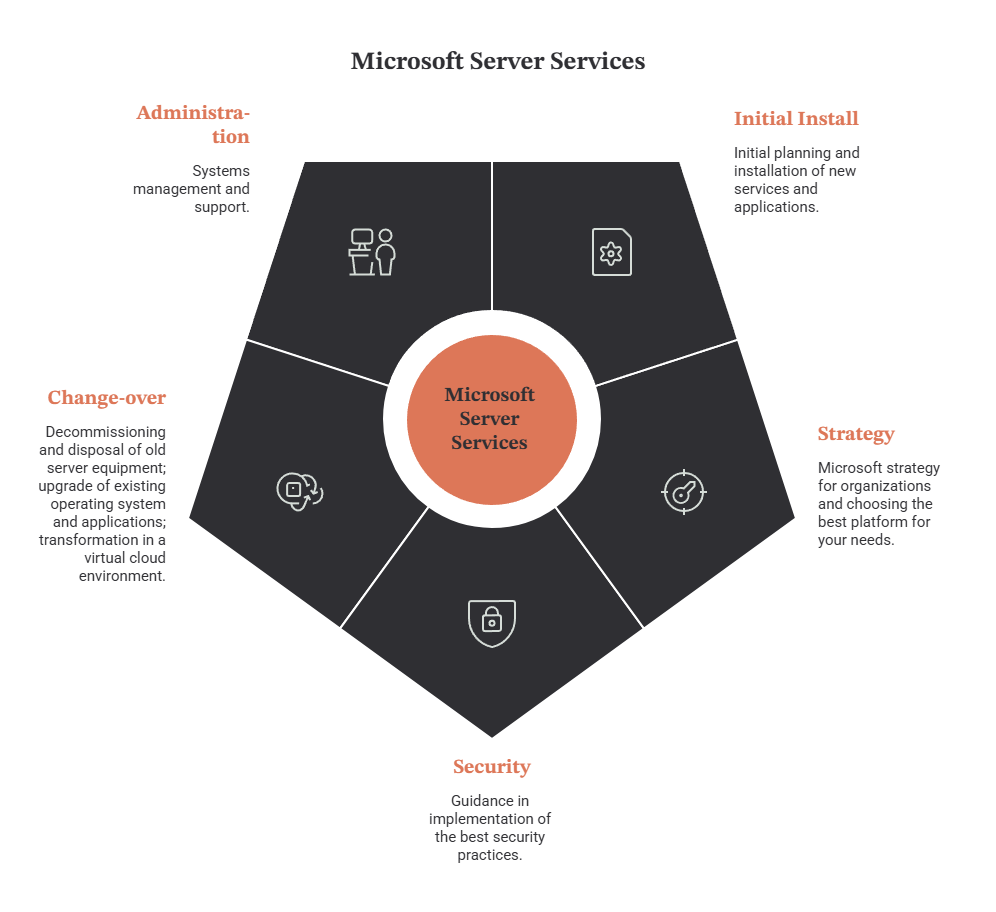
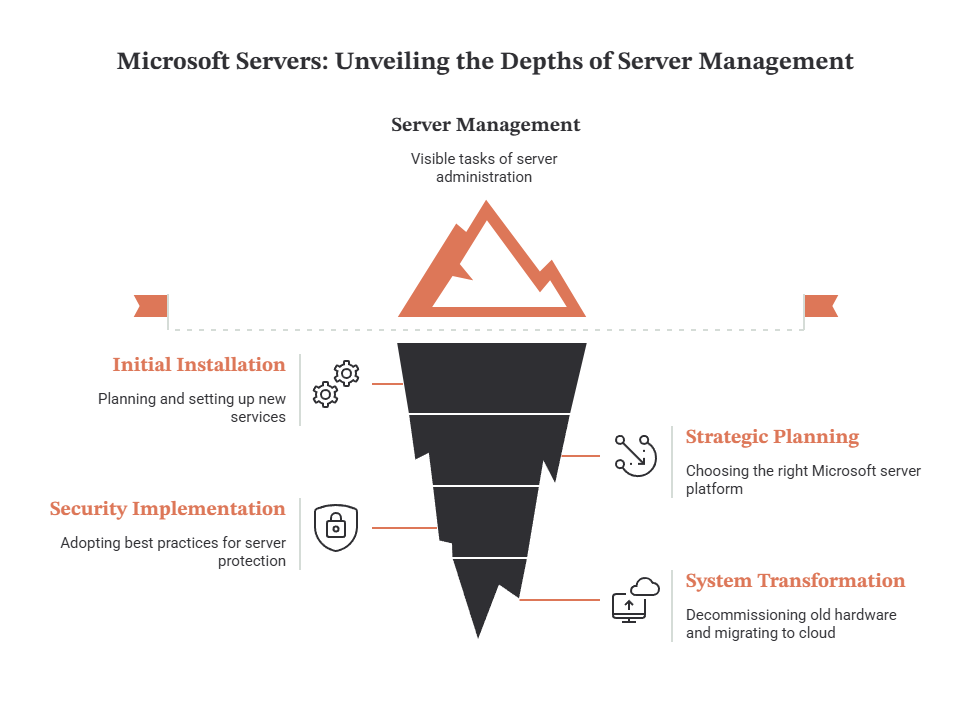
- MICROSOFT SERVER'S INITIAL INSTALL: Initial planning and installation of new services and applications.
- MICROSOFT SERVERS STRATEGY: Microsoft strategy for organizations and choosing the best platform for your needs.
- MICROSOFT SERVERS SECURITY: Guidance in implementation of the best security practices.
- MICROSOFT SERVERS CHANGE-OVER: Decommissioning and disposal of old server equipment; upgrade of existing operating system and applications; transformation in a virtual cloud environment.
- MICROSOFT SERVERS ADMINISTRATION: Systems management and support.

Named Account Manager
for any business and Project related questions

Microsoft Engineers
available 24/7/365

Named Service Manager
for any technical questions

Professional Services

Architecture advisors

Managed Monitoring and Incident Response

Hybrid Setups

Security advisors
You can hire us to do the common and many customer specific tasks related to Microsoft Server administration. If you want to change the hosting we can do for you the Server migration, configuration and security hardening. We have experience with the most famous Cloud platforms as Amazon, Softlayer, Rackspace and some big private Data Centres.
Microsoft Managed Services — Detailed Service Portfolio
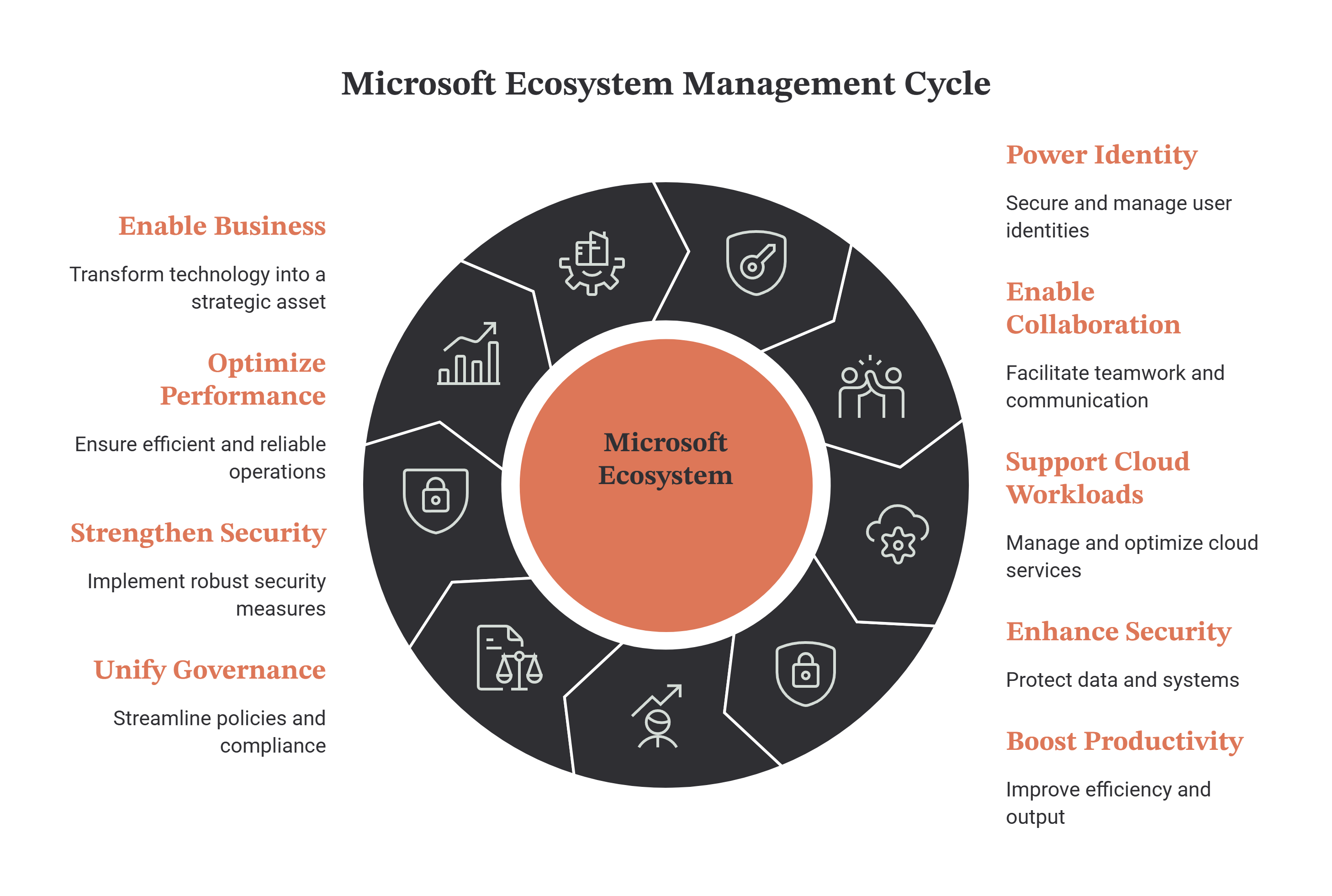
Microsoft ecosystems power identity, collaboration, cloud workloads, security, and business productivity. AdvisionIT delivers full‑lifecycle Microsoft Managed Services that unify governance, strengthen security, optimize performance, and ensure your Microsoft environment becomes a strategic business enabler.
1. Microsoft 365 Tenant Management & Governance
-
Tenant Architecture Governance — structure, policies, lifecycle management, secure configuration baselines.
-
Identity & Access Management — Entra ID governance, MFA enforcement, Conditional Access, privileged identity controls.
-
Collaboration Platform Management — Teams, SharePoint, OneDrive configuration, lifecycle, external sharing governance.
-
License Optimization — usage analytics, cost reduction, SKU alignment, Copilot readiness.
2. Microsoft Security & Compliance Operations
-
Zero Trust Enforcement — identity‑centric security, device compliance, session controls.
-
Defender Suite Management — Defender for Office 365, Defender for Endpoint, Defender for Identity, Defender for Cloud Apps.
-
Purview Compliance & DLP — data classification, sensitivity labels, retention, insider risk management.
-
Threat Investigation & Response — phishing triage, compromised accounts, mailbox rule abuse, risky sign‑ins.
AdvisionIT strengthens this with CISO‑as‑a‑Service, providing governance, risk management, and executive‑level security leadership.
3. Microsoft Intune & Endpoint Management
-
Device Enrollment & Compliance — Windows, macOS, iOS, Android policies, encryption, patching.
-
Application Lifecycle Management — packaging, deployment, updates, rollback.
-
Endpoint Security — attack surface reduction, firewall policies, Defender integration.
-
BYOD & Conditional Access — secure access for unmanaged devices.
4. Azure Cloud Operations & Optimization
-
Azure Infrastructure Management — VMs, VNets, NSGs, storage, backups, monitoring.
-
Azure Identity & RBAC — least privilege, role governance, access reviews.
-
Azure Cost Optimization — rightsizing, reserved instances, autoscaling, storage lifecycle policies.
-
Azure Security Center & Defender for Cloud — posture management, recommendations, threat protection.
5. Microsoft Collaboration & Productivity Optimization
-
Teams Governance & Automation — lifecycle, naming conventions, retention, external access.
-
SharePoint Architecture — site structure, permissions, metadata, search optimization.
-
OneDrive Management — sync policies, sharing rules, backup integration.
-
Copilot Readiness & Adoption — data governance, licensing, user enablement, usage analytics.
6. Monitoring, Observability & Incident Response
-
Advanced Monitoring — service health, performance, identity risk, endpoint posture.
-
SIEM Integration — Sentinel, Splunk, Elastic, correlation rules, alert tuning.
-
Incident Response — containment, remediation, forensic analysis.
-
Operational Reporting — monthly posture reports, risk dashboards, optimization recommendations.
7. Backup, Recovery & Business Continuity
-
Microsoft 365 Backup — Exchange, SharePoint, OneDrive, Teams backup and long‑term retention.
-
Azure Backup & Site Recovery — VM snapshots, DR replication, failover orchestration.
-
Recovery Testing — scheduled restore tests, validation, documentation.
8. Automation, DevOps & Infrastructure‑as‑Code
-
Policy Automation — automated configuration enforcement across M365 and Azure.
-
Infrastructure‑as‑Code — Terraform, Bicep, ARM templates.
-
CI/CD Integration — GitHub Actions, Azure DevOps pipelines.
-
Lifecycle Automation — user provisioning, group management, license assignment.
9. Governance, Documentation & Change Management
-
Architecture Documentation — diagrams, dependencies, runbooks, SOPs.
-
Change Control — approvals, rollback plans, scheduled maintenance.
-
Asset Inventory — full catalog of identities, devices, workloads, licenses.
-
Executive Reporting — risk, cost, performance, adoption, roadmap.
10. Training & Capability Building
AdvisionIT enhances Microsoft operations with continuous education through:
-
CISOLead — executive cybersecurity leadership training
-
CISOEdu — practical cybersecurity courses, templates, governance materials
These platforms help clients build internal capability, reduce operational risk, and strengthen security culture.
The AdvisionIT Advantage
-
Full lifecycle Microsoft ecosystem management
-
Deep expertise across M365, Azure, Entra ID, Intune, Defender, Purview
-
Strong cybersecurity foundation + CISO‑as‑a‑Service
-
ISO‑certified processes (9001 & 27001)
-
Proven experience in fintech, gaming, telecom, eCommerce, entertainment
-
Boutique, high‑touch service model
-
Competitive pricing with enterprise‑grade quality
AdvisionIT transforms Microsoft environments into secure, governed, and high‑performing platforms that support long‑term business growth.
FAQ: Microsoft Managed Services
-
What are Microsoft Managed Services?
Microsoft Managed Services provide continuous administration, monitoring, optimization, and security for Microsoft‑based IT environments. This includes servers, cloud services, identity management, endpoints, and collaboration platforms such as Microsoft 365 and Azure.
-
Which Microsoft technologies do you support?
We support the full Microsoft ecosystem: Windows Server, Active Directory, Azure Active Directory, Microsoft 365, Intune, Azure Sentinel, SharePoint, Exchange Online, Remote Desktop Services, WSUS, and hybrid cloud environments.
-
What is included in your Microsoft server administration?
Our administration covers updates, patching, performance tuning, GPO management, identity and access control, monitoring, troubleshooting, backup configuration, and security hardening for all Microsoft server roles.
-
Do you provide 24/7 monitoring and incident response?
Yes — we offer 24/7 monitoring, automated alerts, incident response, log analysis, and rapid recovery to ensure maximum uptime and business continuity.
-
Can you migrate our infrastructure to Microsoft Azure?
Absolutely. We perform full Azure migrations including servers, applications, databases, identity services, and hybrid integrations. This includes planning, assessment, migration execution, testing, and post‑migration optimization.
-
How do you improve security in Microsoft environments?
We implement Zero Trust policies, MFA, conditional access, SIEM/SOAR integration (Azure Sentinel), endpoint protection, patch management, identity hardening, vulnerability scanning, and continuous security monitoring.
-
Do you manage Microsoft 365 environments?
Yes — we manage Microsoft 365 administration, licensing, security policies, Exchange Online, SharePoint, Teams, Intune device management, compliance settings, and backup strategies.
-
Can you fully manage our Microsoft infrastructure?
Yes — we provide complete lifecycle management: server administration, cloud management, identity services, endpoint management, security, monitoring, backups, and support for all Microsoft workloads.
-
What is included in backup and disaster recovery for Microsoft systems?
We provide automated backups, off‑site storage, Azure Backup, snapshot‑based recovery, disaster recovery planning, failover testing, and business continuity strategies tailored to Microsoft environments.
-
What are the benefits of outsourcing Microsoft IT management?
Outsourcing reduces operational costs, improves security, ensures expert support, increases uptime, enhances performance, and provides predictable monthly expenses — without needing an internal Microsoft specialist team.

Written By
Yavor Y. Zlatev
CEO & Executive Director at Advanced Vision IT
Yavor leads strategic growth and technology operations at Advanced Vision IT, specializing in enterprise cybersecurity, cloud infrastructure, NIS2 compliance, and managed security service delivery. Find out more about me