Sophos Firewall Logs Explained for IT Teams
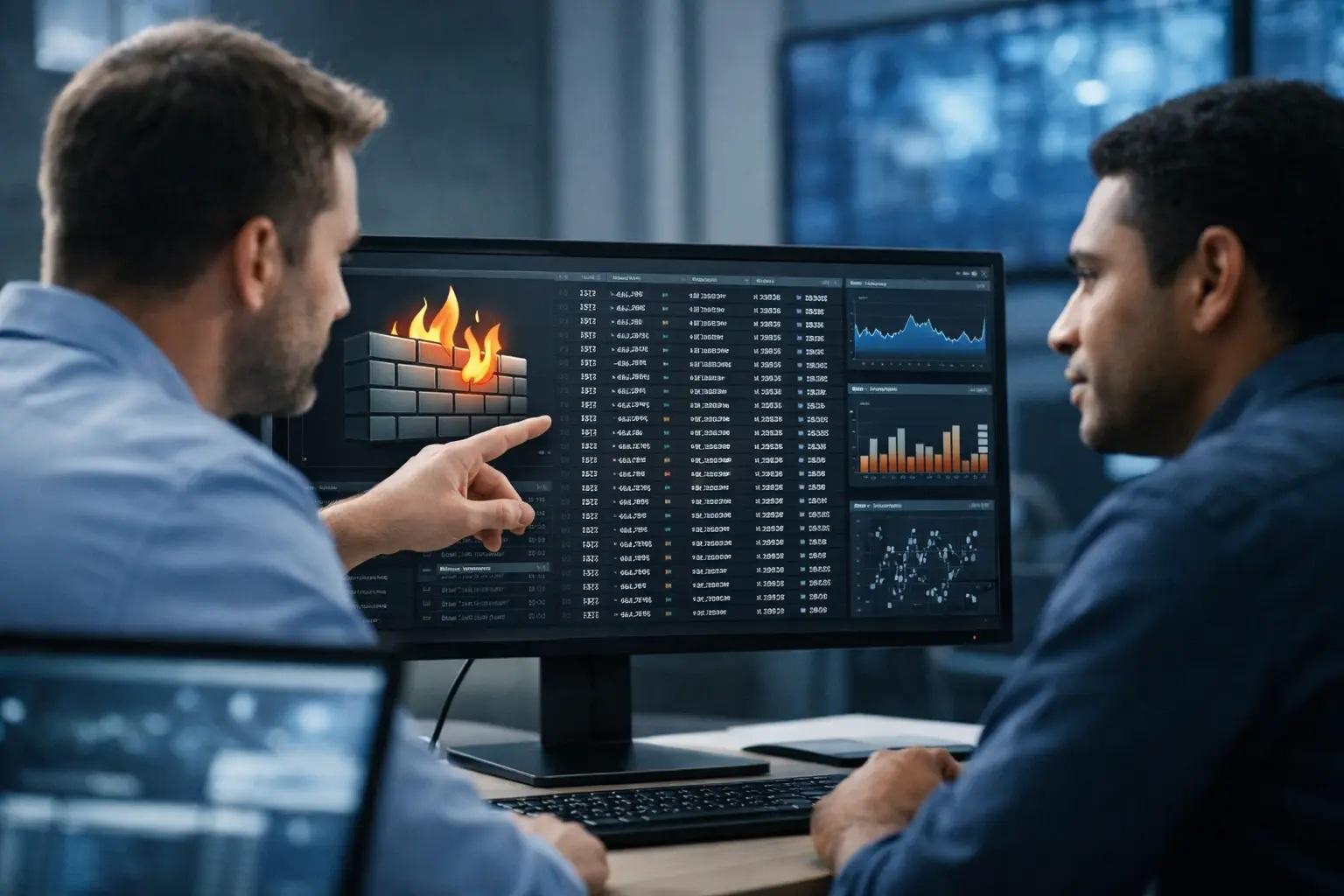
A firewall alert without its surrounding log trail is usually an expensive guessing exercise. A blocked connection may be a legitimate application, an exposed device probing your perimeter, or an early sign of lateral movement. Sophos Firewall logs explained properly give IT and security teams the evidence to separate routine noise from a problem that requires action.
For organizations without a large in-house SOC, the goal is not to read every event manually. It is to know which records answer the operational questions that matter: what happened, who or what was involved, which policy made the decision, whether the event succeeded, and what should happen next.
What Sophos Firewall logs actually record
Sophos Firewall produces records across traffic handling, security inspection, authentication, VPN activity, system health, and administrative changes. The exact log categories available depend on the SFOS version, enabled modules, licensing, and deployed features. A firewall protecting a simple office network will generate a very different event profile than one enforcing SSL/TLS inspection, web protection, site-to-site VPNs, and high-availability failover.
The most useful distinction is between a connection decision and a security detection. A traffic log tells you that the firewall allowed, denied, dropped, or rejected a session according to a rule or routing decision. A security log may tell you that the same session was blocked because a web policy, intrusion prevention signature, malware control, application rule, or threat-protection feature identified a risk.
Neither event type stands alone. An allowed firewall rule does not mean the activity was safe. A security block does not automatically mean a host is compromised. Context from endpoint telemetry, DNS activity, identity records, and the destination's reputation is often needed before declaring an incident.
Where to start in Sophos Firewall Log Viewer
The Log Viewer is the first stop for a focused investigation. Filter by a narrow time range, then add known indicators such as source IP address, destination IP address, username, hostname, rule name, service, or action. Starting with a precise question prevents the common mistake of scrolling through thousands of unrelated events.
Time accuracy matters more than many teams realize. Confirm that the firewall uses reliable NTP synchronization and that analysts understand the displayed time zone. When Sophos Firewall, Microsoft 365, endpoint protection, cloud audit logs, and a SIEM disagree by several minutes, reconstructing an incident becomes unnecessarily difficult.
For sustained monitoring, retain and forward logs beyond the local appliance where appropriate. Local storage is useful for immediate troubleshooting, but it has practical limits during a busy event, hardware issue, or retention cycle. Centralized logging to a SIEM supports longer retention, correlation, alerting, and audit reporting. It also keeps a record available if the firewall itself is affected during an incident.
Reading Sophos Firewall traffic logs
Traffic logs are the foundation of most firewall investigations. They typically identify the source and destination, protocol or service, policy or rule involved, action taken, interfaces or zones, and traffic volume. Depending on the event and configuration, they may also show translated addresses, user identity, connection details, and an explanation for the decision.
Start by reading a traffic event in this order:
- Establish the direction. Determine whether the connection is inbound, outbound, or moving between internal segments. A denied inbound connection to a public address is common. An unexpected connection from a finance workstation to a server-management subnet deserves more attention.
- Identify the decision point. Review the matched firewall rule, routing path, NAT behavior, and action. A rule name should explain business intent. Names such as
Rule 17orAllow Anyslow every future investigation. - Check identity and asset context. An IP address is not an owner. Map it to a DHCP lease, endpoint, server, VPN user, or cloud workload. Confirm whether the user, host, and destination fit normal business activity.
- Measure repetition and volume. One blocked attempt may be background internet noise. Hundreds of repeated attempts, a sudden burst of outbound traffic, or a long-lived unusual session can change the risk assessment.
- Correlate before changing policy. Find nearby authentication, VPN, web, endpoint, and DNS events before opening a rule or blocking a destination. Fast changes based on incomplete evidence can interrupt legitimate operations.
An action field needs careful interpretation. Deny, drop, and reject are not interchangeable in troubleshooting terms. A deny or drop can be an expected policy enforcement result, while a reject may return a response to the requester. The real question is why that action occurred: a rule mismatch, an expired VPN state, an unavailable route, a missing NAT rule, or an intentional segmentation control.
Also account for traffic that may be processed differently based on firewall acceleration, inspection settings, or policy design. If a team expects detailed application or threat visibility but has excluded a flow from inspection for performance or compatibility reasons, the absence of a security event is not proof that the flow was harmless.
Security, web, and threat events need context
Security-related logs often receive the most attention because their labels sound urgent. They can include intrusion prevention detections, malicious-download blocks, web-control decisions, application-control events, advanced threat findings, and TLS inspection failures. They are valuable, but a mature response process classifies them before escalating.
First, determine the enforcement result. Was the action blocked, allowed, warned, or merely detected? Next, identify the protected asset and the destination or payload involved. A blocked exploit attempt against an internet-facing service should lead to patch and exposure validation. A web-filter block for a newly registered domain might warrant endpoint review, especially if the same user had repeated authentication failures or downloaded a suspicious file.
False positives are possible, particularly with custom applications, encrypted traffic, uncommon protocols, and aggressive intrusion prevention policies. The wrong response is to create a broad exclusion because one business application stopped working. A better response is to document the affected flow, validate the vendor requirement, limit the exception to the smallest possible scope, and set a review date.
TLS inspection deserves the same discipline. It can provide valuable visibility into encrypted web traffic, but it introduces certificate-management, privacy, performance, and application-compatibility considerations. Sensitive categories, regulated workflows, and applications that use certificate pinning may require narrowly defined bypass decisions. Those exceptions should be visible in policy review and not become permanent blind spots.
VPN, authentication, and administrator logs reveal control failures
Remote access incidents often become visible first in authentication and VPN records rather than in firewall traffic logs. Review successful and failed login attempts, user names, source addresses, authentication method, tunnel establishment, assigned addresses, disconnects, and configuration changes. A cluster of failed logins followed by a successful connection from an unfamiliar geography is a prompt for identity validation, not an automatic compromise verdict.
Administrative and system logs are equally significant. They can show firmware changes, policy edits, configuration imports, service restarts, high-availability events, interface failures, disk or resource pressure, and administrator activity. These records help distinguish a security event from an operational failure. For example, a sudden rise in denied traffic after a maintenance window may point to an unintended policy change rather than hostile activity.
Protect administrative access with named accounts, strong MFA where supported by the access design, restricted management networks, and a controlled change process. Shared administrator credentials make log attribution weak and turn a routine troubleshooting task into an audit problem.
Build a monitoring model instead of collecting noise
Logging every available detail indefinitely is not automatically good security. It can increase storage cost, obscure important signals, and expose more operational or personal data than the organization needs to retain. The right level depends on risk, regulatory obligations, network volume, incident-response maturity, and the systems available for analysis.
A practical baseline includes firewall policy decisions for sensitive zones and internet-facing services; VPN and authentication outcomes; administrator changes; IPS, malware, and web-security events; system and high-availability health; and DNS or application telemetry where it supports investigation. High-volume permitted traffic can require selective logging or aggregation, provided that critical systems still retain enough evidence for triage.
Forwarding these events to a SIEM creates more value when correlation rules reflect real operational risks. Useful examples include repeated VPN failures followed by a successful login, an endpoint alert followed by new outbound connections, a new administrative login followed by firewall rule changes, or an internal host contacting many blocked destinations in a short period. Alerts should have ownership, severity criteria, and an escalation path. A dashboard with no response process is reporting, not monitoring.
For NIS2-oriented governance and similar compliance expectations, firewall logs support evidence of access control, monitoring, incident handling, and change management. They do not satisfy those obligations by themselves. Retention standards, documented review procedures, asset ownership, tested response playbooks, and management oversight are part of the wider control environment.
Make logs useful during the next incident
The best time to improve Sophos Firewall logging is before the urgent ticket arrives. Use meaningful rule names, keep network zones and object definitions understandable, document approved exceptions, synchronize time, and test whether key events reach the SIEM with the fields analysts need. Review logging after major network, cloud, identity, and application changes.
A boutique managed security partner can take ownership of that operating model: tuning Sophos policies, investigating alerts alongside endpoint and identity evidence, and explaining the tradeoffs before making changes. The practical measure of success is simple: when an event occurs, your team can determine its scope and business impact quickly enough to act with confidence.
Sophos Firewall Logging — Q & A
1. What do Sophos Firewall logs actually record
Log categories — Traffic handling, security inspection, authentication, VPN activity, system health, and administrative changes.
“Sophos Firewall produces records across traffic handling, security inspection, authentication, VPN activity, system health, and administrative changes.”
2. What is the key distinction between traffic logs and security logs
Traffic vs security — Traffic logs show allow/deny decisions; security logs show threat‑driven actions such as IPS, malware, or web filtering.
“A traffic log tells you that the firewall allowed, denied, dropped, or rejected a session… A security log may tell you that the same session was blocked because a web policy, intrusion prevention signature, malware control…”
3. Why do firewall logs require external context
Context importance — Endpoint telemetry, DNS activity, identity records, and destination reputation are needed to interpret events correctly.
“Neither event type stands alone… Context from endpoint telemetry, DNS activity, identity records… is often needed.”
4. Where should investigations begin in Sophos Firewall
Log Viewer — Start in Log Viewer, filter by time, then narrow by IP, user, hostname, rule, or service.
“Starting with a precise question prevents the common mistake of scrolling through thousands of unrelated events.”
5. Why is time accuracy critical in investigations
Time accuracy — NTP synchronization and consistent time zones prevent misaligned timelines across systems.
“When Sophos Firewall, Microsoft 365, endpoint protection… disagree by several minutes, reconstructing an incident becomes unnecessarily difficult.”
6. Why should logs be forwarded to a SIEM
SIEM forwarding — SIEM provides retention, correlation, alerting, and audit reporting beyond local appliance limits.
“Centralized logging to a SIEM supports longer retention, correlation, alerting, and audit reporting.”
7. How should traffic logs be read and interpreted
Traffic log reading — Determine direction, rule matched, identity context, repetition/volume, and correlate before changing policy.
“Start by reading a traffic event in this order: establish the direction… identify the decision point… check identity… measure repetition…”
8. What do deny, drop, and reject actually mean
Action meanings — Deny/drop enforce policy silently; reject returns a response. The real question is why the action occurred.
“Deny, drop, and reject are not interchangeable… The real question is why that action occurred.”
9. Why can inspection settings affect log visibility
Inspection impact — Excluded flows may lack threat visibility; absence of a security event does not mean the flow was safe.
“The absence of a security event is not proof that the flow was harmless.”
10. How should security, web, and threat logs be interpreted
Security log interpretation — Classify enforcement result, asset involved, and payload/destination. Validate before escalating.
“They are valuable, but a mature response process classifies them before escalating.”
11. How should false positives be handled
False positives — Validate flow, vendor requirements, and limit exceptions to the smallest scope with review dates.
“The wrong response is to create a broad exclusion… limit the exception to the smallest possible scope.”
12. Why does TLS inspection require careful governance
TLS inspection governance — Certificate pinning, regulated workflows, and sensitive apps require narrow bypass rules.
“Sensitive categories… may require narrowly defined bypass decisions.”
13. What do VPN and authentication logs reveal
VPN/auth logs — Login attempts, source locations, tunnel establishment, disconnects, and configuration changes.
“A cluster of failed logins followed by a successful connection from an unfamiliar geography is a prompt for identity validation…”
14. Why are administrative logs important
Admin logs — Show firmware changes, policy edits, HA events, interface failures, and resource pressure.
“They help distinguish a security event from an operational failure.”
15. How should administrative access be protected
Admin access protection — Use named accounts, strong MFA, restricted networks, and controlled change processes.
“Shared administrator credentials make log attribution weak…”
16. Why is logging everything a bad idea
Avoid logging noise — Excessive logs obscure signals, increase cost, and expose unnecessary data.
“Logging every available detail indefinitely is not automatically good security.”
17. What should be included in a practical logging baseline
Logging baseline — Policy decisions, VPN/auth outcomes, admin changes, IPS/malware/web events, HA health, DNS/app telemetry.
“A practical baseline includes firewall policy decisions… VPN and authentication outcomes… IPS, malware, and web-security events…”
18. Why should logs be correlated in a SIEM
SIEM correlation — Correlation rules detect meaningful patterns such as VPN failures + successful login, or endpoint alert + outbound traffic.
“Useful examples include repeated VPN failures followed by a successful login…”
19. How do logs support NIS2 and compliance
NIS2 logging — Logs provide evidence of access control, monitoring, incident handling, and change management.
“They do not satisfy those obligations by themselves… part of the wider control environment.”
20. How to make logs useful during the next incident
Incident readiness — Use meaningful rule names, clear zones, documented exceptions, synchronized time, and SIEM validation.
“The best time to improve Sophos Firewall logging is before the urgent ticket arrives.”
Date: 15.08.2026

Written By
Yavor Y. Zlatev
CEO & Executive Director at Advanced Vision IT
Yavor leads strategic growth and technology operations at Advanced Vision IT, specializing in enterprise cybersecurity, cloud infrastructure, NIS2 compliance, and managed security service delivery. Find out more about me